

Color inks are see-through. On a white wall, that is exactly what you want: the wall acts like paper and the color reads true. On glass, a dark wall or a colored surface, color alone fades into whatever is behind it. That is what the white channel is for.
What the white channel does
The printer lays down white ink as its own layer, under the color or on its own. With a white base, a logo on a navy wall looks like the logo, not a darker version of it, and lettering on clear glass reads from the street. White ink is standard on every printer from The Wall Printer®, not an add-on.
Choose where the white goes
White does not have to cover everything. You decide, job by job:
- Under the whole design for full, solid color on a dark or colored surface.
- Under part of the design, so a logo pops while the rest blends into the wall.
- On its own, as a color. White lettering on a black wall or a frosted look on glass.
That control is what lets you print on any colored wall or surface, not just white ones.
Leave it out for stained glass
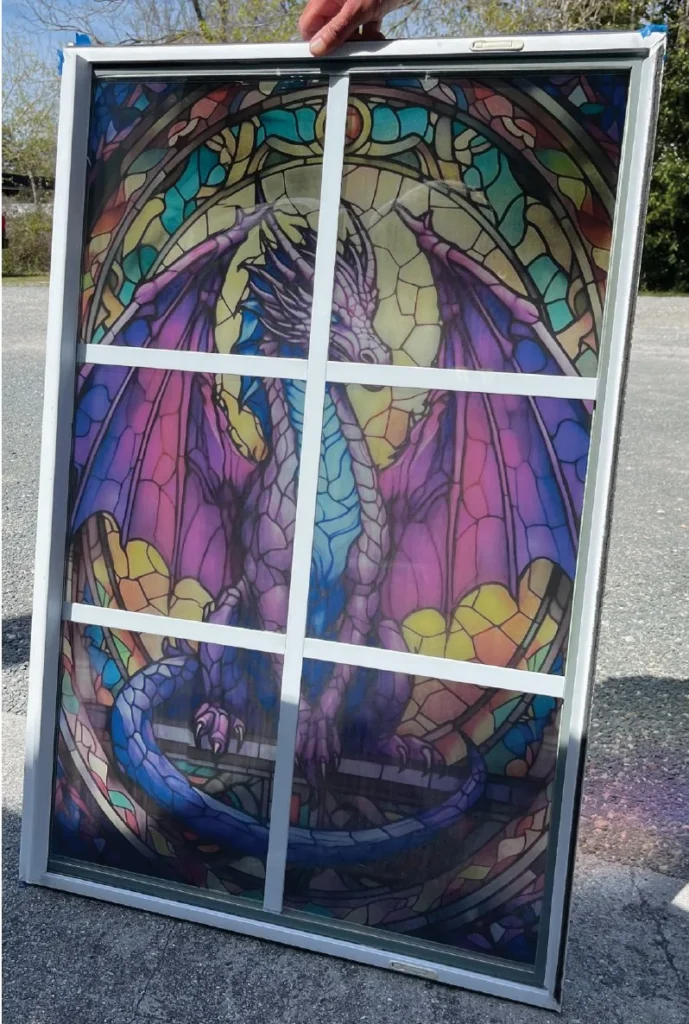
On glass and clear acrylic, skip the white and light passes through the color. Windows, partitions and panels take on a stained glass look without stained glass prices.
Use both in the same print
This is where it gets interesting. Back a logo or lettering with white so it reads from across the room, and leave the white out of a border or background so light shines through. Staining and spot white, in one print.
Stain, spot white, or both
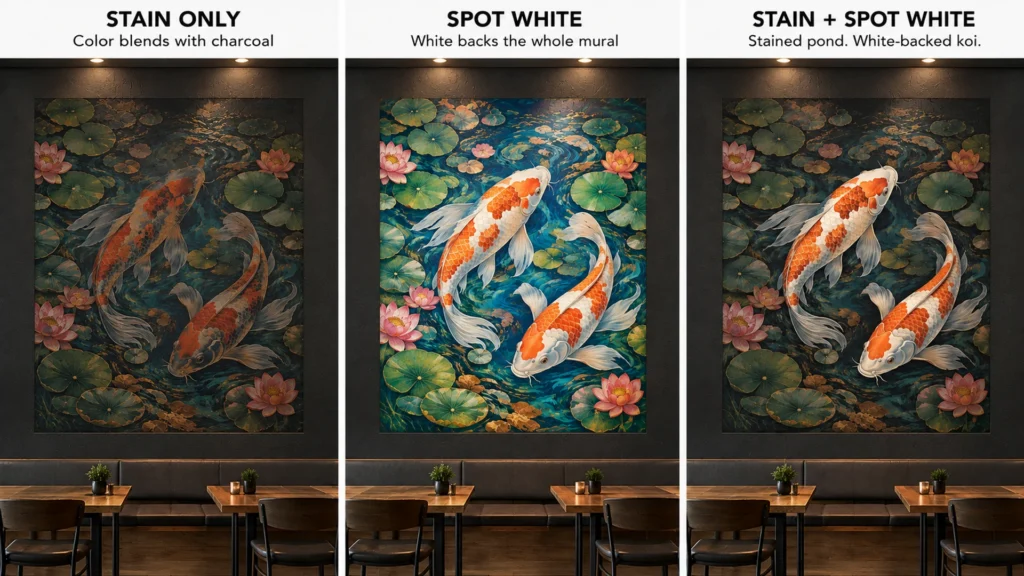
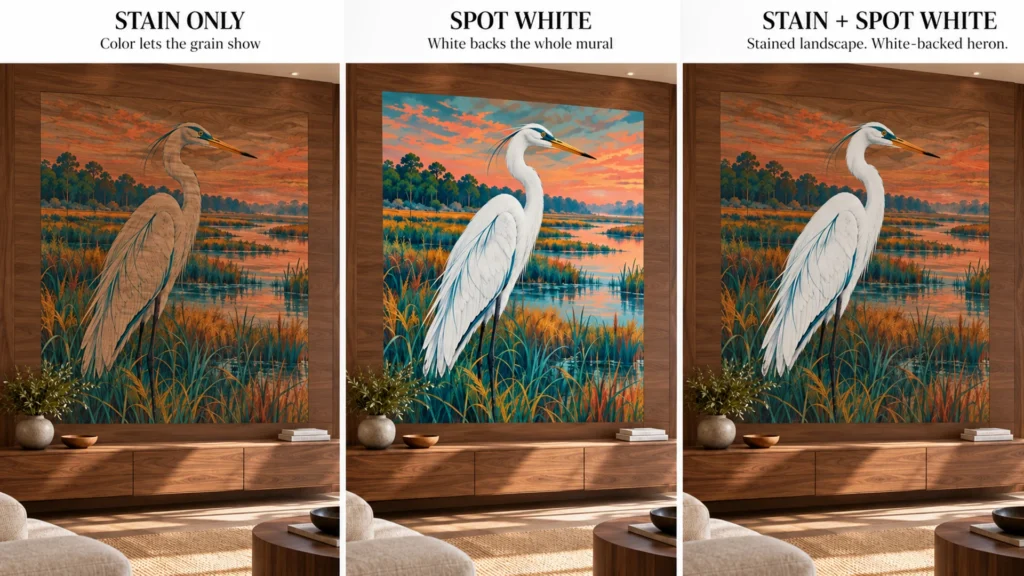
Every print on glass, a dark wall or wood is a choice between three looks. Same design, same surface, three results:
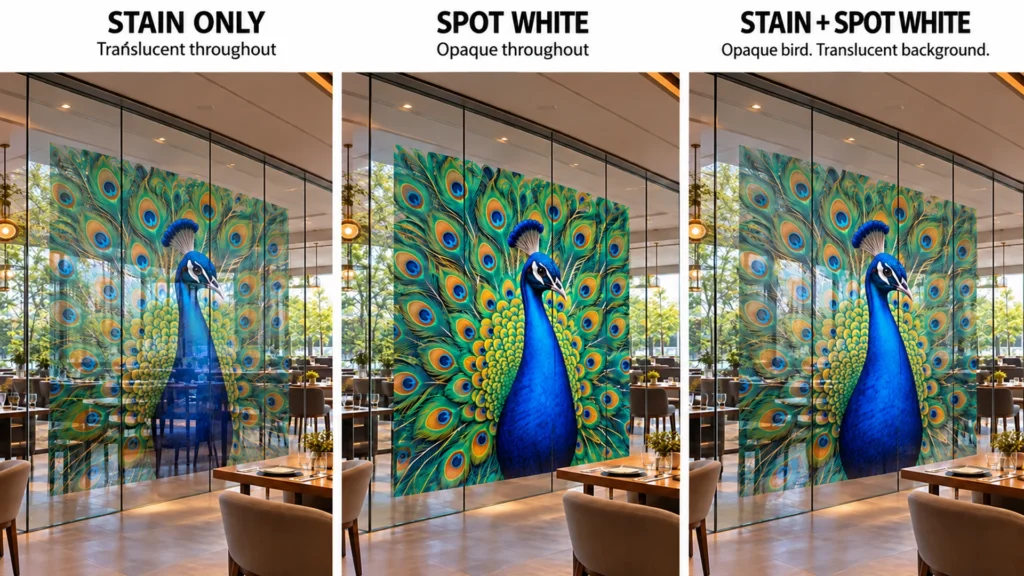
- Stain only. Color with no white. Light passes through glass, and the wall or grain shows through the color. Soft, translucent, built into the surface.
- Spot white. White under the color. The print goes solid and bright, and nothing behind it shows through.
- Stain plus spot white. White under the subject only. The subject reads solid while the background stays stained, so the surface still shows around it.
On a dark wall, stain only gives a moody, tone-on-tone print. Spot white brings the color back to full strength.
On wood, stain only lets the grain run through the whole mural. Back just the subject and the heron stands off a landscape that still looks like walnut.
Not sure which look a client wants? Print a small test of each on their surface and let them pick.
How to set it up
- In the file. Designs that use white carry a white layer. Our team and the designers page can help you set one up.
- On the printer. Choose CMYK, or CMYK plus white, on the touchscreen before you print.
- Test first. Run a test print on every new surface and color before you quote the job.
For more on surfaces, see what the printer prints on, or read print in your shop for glass and acrylic panels.
Questions people ask
Why does a wall printer need white ink?
Color inks are see-through. On glass, dark walls and colored surfaces, a white layer under the color keeps it bright and readable. Without it, color fades into whatever is behind it.
Can I choose where the white ink prints?
Yes. White can go under the whole design, under only part of it, or print on its own as a color. You set it for each job, so you can print on any colored wall or surface.
How do you get a stained glass look on glass?
Print the color with no white layer behind it. Light passes through the ink the way it does through stained glass. You can leave the white out of one part of a design and use it in another, in the same print.
Printing on glass or a colored wall? Send us a photo of the surface and what you want on it, and the team in Wilmington will tell you how to set up the white.