Training

UV printer training, included in every printer package

Every printer package comes with training. We sell direct-to-surface UV printer packages for walls, floors, glass, metal, wood and panels, and training is one full day with the whole team in Wilmington, NC, all of it recorded. We've tried longer. It gets overwhelming. So you train for a day, take the printer home and practice, and we expect to spend a lot more time with you after you get home.

Your printer, your training and your support, all from Wilmington, NC.
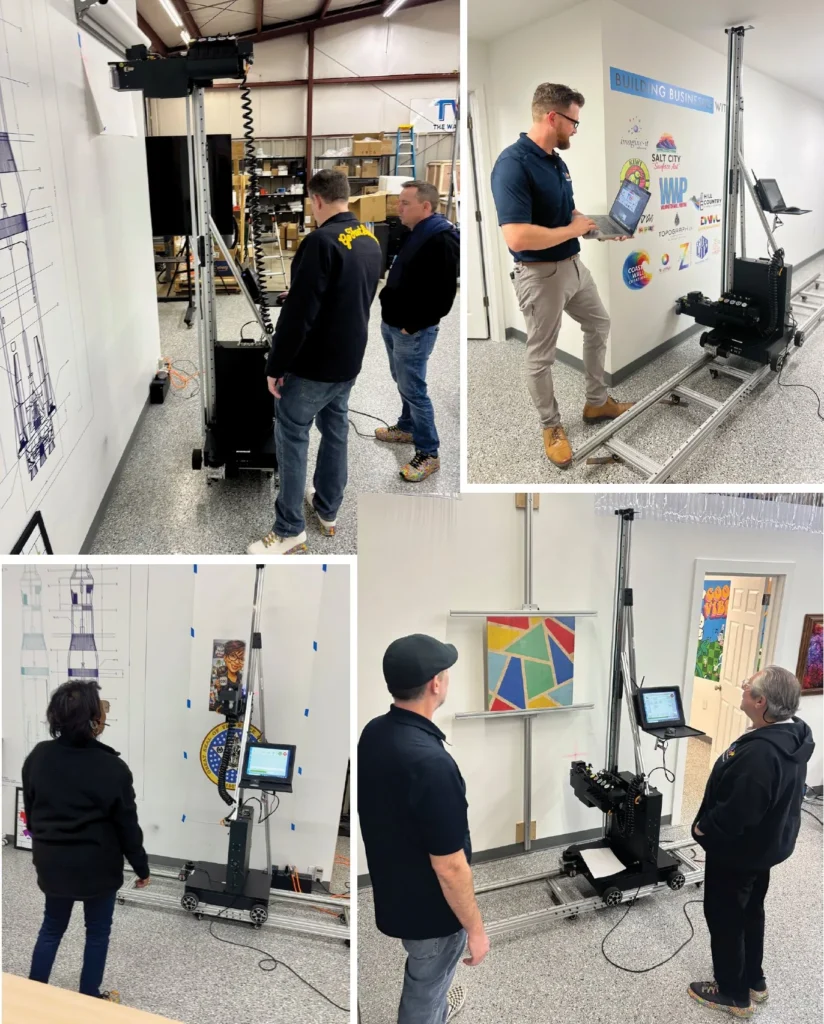
Operators training on the printer in Wilmington, NC

At a glance

Training at a glance

Where

2157 Dexter St, Wilmington, NC 28403. Or virtual.

Who teaches it

Chris Borden's team, the same support team you call after.

What it costs

Included with every new machine and every certified reconditioned machine.

When

Scheduled around your delivery and booked once the printer is paid in full. Most people leave with their printer, or we ship it to you. Train in Wilmington and there's a $500 travel allowance, when it isn't paired with another promotion.

After

Lifetime support by phone, email, video and help desk tickets, 9am to 8pm ET, seven days, a yearly health check by video, and a roll of practice paper to take home. The help desk is free for life. A second training day later is $1,500.

The curriculum

What you'll learn

01

Prep work at home

A short prep kit, so your time in training is spent on the machine.

02

Running the printer

Setup, file prep, the RIP software, the maintenance routine, what goes wrong and what to do about it.

03

Surfaces, prep and layout

Surface prep and primer, then real prints with your hands on the machine. We'll put gloves on first, but you'll print before you leave. The human element is preparation: practice twice, print once.

04

Running the work

Pricing by the square foot, and who already pays for printed graphics in your area. Company crews use the same session to plan the work they send out today.
In their words

What training was like for them

We started printing at nine or ten in the morning. I was printing by one o'clock. It was what I expected, completely.
Terry B.trained over video from his shop in Texas
When I got my printer home, I felt 100 percent confident assembling it, getting the ink in, doing the maintenance every day. Where I could have used more time was Photoshop, getting a file from the internet to the wall.
Jonathan O.WallPrint 904, Jacksonville and St. Augustine, FL
I can do my daily maintenance, run through everything, get an image printed and be done in half an hour to 45 minutes.
Ryan C.Wonder Wall Printing, Saskatoon, SK

From recorded review calls with owners, September and October 2026. See their work.

Section by section

What does the training day cover?

Six hands-on sections, taught on a real printer by the team that supports you afterward. Each one ends with a quick review so nothing gets skipped.

01

The basics

  • Large format and UV printing
  • What you can print on
  • The operator's role
  • The product line
02

Unboxing and assembly

  • Components and transport cases
  • Hands-on assembly
  • Spare parts and supplies
03

Printer operation

  • Maintop, the print software
  • The control center
  • Operating system and file storage
04

Print job setup

  • Wheels and tracks
  • Vertical rails and supports
  • Finding your starting position
05

Printing

  • Speed, mode and UV lamp settings
  • Test printing
  • Large prints over 3 feet
06

Maintenance and care

  • Routine and pre-print maintenance
  • Ink storage
  • Transport and storage
  • Image quality and file formats

Before you arrive

How do you get ready?

You don't need to learn the machine before you get here. That's our job. Show up with the basics, your software ready and a few prospects in mind, so training day goes to your hands on the equipment. Plan on two to three hours a week, and keep a running list of questions.

Do before training

  • Read the basics and the glossary below
  • Install Adobe Photoshop and finish a beginner lesson
  • Make one wall mockup
  • List your first 10 prospects
  • Start the launch checklist
  • Pick a second person to train

Bring with you

  • Your question list
  • A USB drive with a logo and a photo
  • Your prospect list and mockup
  • Photos and measurements of a wall you want to print
  • Clothes you don't mind getting ink on

Start the paperwork

  • Business entity, EIN and bank account
  • License and sales tax registration, if it applies
  • Liability insurance, plus coverage for equipment on the road
  • Estimate and contract template with a deposit
  • Photo and video release language

Full list, with Adobe setup, files and your first prospects: the launch checklist for new owners.

Five minutes of reading

What are the basics?

What it does
A print head rides a vertical rail across a floor track and prints straight onto the wall. UV light cures the ink the instant it lands. No drying time, no vinyl.
What it prints on
Drywall, brick, concrete, wood, glass, metal, tile and plastic. Some surfaces need prep. A few metals and plastics are off limits, and we'll show you which.
What an operator does
Sets up and calibrates the machine, runs the print, checks quality, keeps up maintenance and manages the job from quote to finish.
Files
Vector files (EPS, PDF) stay sharp at any size. Raster files (JPG, TIF) need 150 to 300 pixels per inch at the final size. Everything gets converted to CMYK.
Speed and price
Most owners print 10 to 20 square feet an hour, depending on resolution, the surface and white ink. Commercial work commonly sells for $20 to $40 a square foot.
Ink
Stored dark, in its original containers, between 60 and 90°F. Used between 60 and 100°F, ideally at 50% humidity.

From the training material

What do the words mean?

The terms you'll hear on training day, from A to W.

57-inch rule
Aim for the center of a print to sit about 57 inches above the floor. With ceilings 9 feet or higher, go 60 to 63 inches.
Bits per channel
How much color detail each pixel holds. Higher helps accuracy. Drop to 8 if a file gets too large.
Blank
A setting that skips empty areas of the canvas to cut print time.
CMYK
Cyan, magenta, yellow and black, the four inks that make a full-color print. Files should be converted to CMYK.
Color profile
The color rules a file follows. For printing, use CMYK.
Continue
A failsafe that picks a print back up after a software crash.
Control center
The printer's on-screen controls: pump, clean, spray, test, start and stop.
Conversion fluid
The cleaning fluid used to swab the print head.
Cropping
Trimming blank space from a file so it prints at the right size and in less time.
Curing
Hardening the ink with UV light the moment it lands.
DPI
Dots per inch. The printer's output resolution. Higher DPI means finer detail and slower printing.
Flush
Clearing all ink from the system before long-term storage.
Large format printing
Printing at a big scale, usually over 36 inches wide or tall.
Laser
Pinpoints your starting position on the wall.
Maintop
The print software on the printer's computer. It imports, crops, sizes and lays out your file.
Overspray
Ink that lands outside where it should. Settings can reduce it.
PPI
Pixels per inch. A raster file's resolution at final size. Aim for 150 to 300.
Pre-print routine
Pump, clean, swab, empty, spray, test. Done before every print day.
Print head
The part that fires ink onto the wall.
Print head assembly
The print head, UV lamp and parts that travel up and down the rail.
Print mode
Which inks print, in what order. KCMY is color only. WKCMY puts white down first, then color.
Print speed
How fast the print head assembly travels vertically.
Pump box
Also called the capping station. Keeps ink moving so the print head doesn't clog. It's where you pump and clean.
Raster
An image made of pixels. It gets soft when enlarged. Also called bitmap. JPG and TIF are raster.
RIP software
Software that turns an image into instructions the printer can follow. Ours is Maintop.
Starting position
Where every print begins: the lower left corner of the canvas.
Substrate
The surface you're printing on.
Supports
Braces that hold the vertical rails steady. Standard and extended.
Test print
A small sample to check size, color and adhesion before the real print.
Tracks
The floor track the printer rides along.
Transport cases
The cases the printer travels in: the print head assembly; the base, cabinet and spare parts; and the vertical rails and supports.
UV lamp setting
Turns UV intensity up or down to speed or slow curing.
Vector
An image made of shapes, not pixels, so it stays sharp at any size. EPS and PDF. Opening one in Photoshop turns it into raster.
Vertical rails
The upright rails the print head rides on. Base, standard and extended.
Walk mode
How the printer moves along the wall: on its wheels or on the rail.
Wall distance
The gap between the print head and the wall. Ideal is 3 to 5 millimeters.
Waste bottle
Catches ink from pumping and cleaning. Empty it and clean it with isopropyl alcohol.
White ink
Printed under the color on dark walls and glass so colors show true.

No terms match. Try another word.

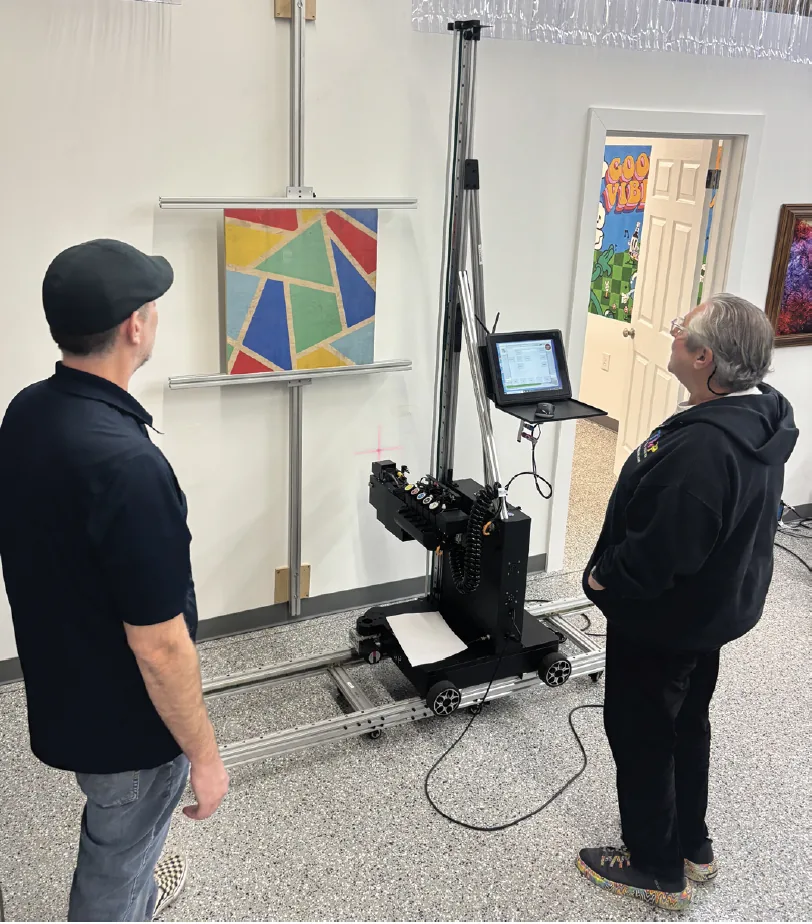
Two owners watching the printer finish a geometric color print on a wall

Who comes

Who should come to training?

Whoever will run the machine. That's usually someone organized and good with files. You don't need to be an artist. For a company, it's often whoever runs your paint crew or your print room now.

Can't travel yet?

Training runs virtually too. Same curriculum, same team.

On video

Training, on video

See all 33 videos

Hands-on training in Wilmington

A new operator's training week

Training on the Pro Series

Training, start to finish

The training experience at headquarters

Ask about training dates

Call 910-632-0320 or send us the form. You'll hear what's open and how training lines up with delivery.

Discovery call

Ask about training

One full day in Wilmington, recorded, with the whole team welcome. Ask about dates.

2157 Dexter St, Wilmington, NC 28403

We use what you send to answer you, and we never sell your information. Privacy policy